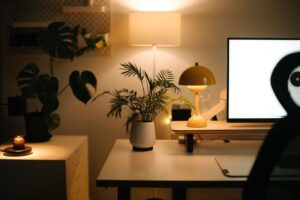
Tips for Creating a Productive Home Workspace
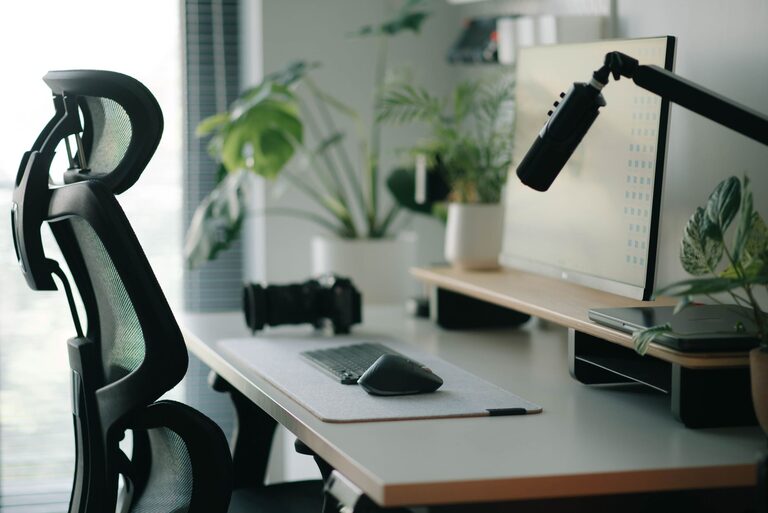
Creating a productive home workspace is key to maintaining focus, motivation, and efficiency when working remotely or managing tasks from home. Without a dedicated and well-designed area, distractions can multiply and work quality may suffer. The good news is that creating an environment that supports productivity doesn’t require a huge budget or a lot of space. With a few thoughtful adjustments, you can transform any corner of your home into a functional and inspiring workspace.
In this post, we’ll explore practical tips and ideas to help you build a home workspace that keeps you motivated, organized, and comfortable throughout your workday.
Choose the Right Location
Consider Natural Light
Whenever possible, set up your workspace near a window. Natural light improves mood and reduces eye strain, helping you stay alert. If natural light is limited, invest in a good desk lamp with adjustable brightness and color temperature to mimic daylight.
Minimize Noise and Distractions
Select a quiet area of your home where interruptions are less likely. This might be a spare room, a corner in your bedroom, or even a section of the living room. Use noise-canceling headphones or white noise machines if outside sounds are inevitable.
Invest in Comfortable and Functional Furniture
Ergonomic Chair
An ergonomic chair with good lumbar support helps maintain proper posture and reduces back pain during long working hours. Look for adjustable features such as height and armrests to tailor the chair to your body.
Desk Size and Height
Choose a desk that fits your space but is large enough to accommodate your computer, accessories, and some workspace. The desk height should allow your arms to rest comfortably at a 90-degree angle when typing.
Standing Desk Options
Consider a sit-stand desk or a desk converter. Changing positions throughout the day can reduce fatigue and improve circulation.
Organize Your Workspace Efficiently
Declutter Regularly
Keep only essential items on your desk. A clutter-free environment helps reduce stress and improves focus.
Use Storage Solutions
Shelves, drawers, and desk organizers can keep papers, tools, and gadgets neatly stored but within easy reach.
Cable Management
Use clips, ties, or cable sleeves to secure cords and prevent tangling. This not only looks cleaner but avoids accidents.
Personalize Your Space
Add Inspiring Elements
Photos, artwork, or a small plant can make your workspace more inviting without overwhelming it.
Choose a Calming Color Scheme
Soft blues, greens, and neutrals are known to promote relaxation and focus. Avoid overly bright or distracting colors.
Optimize Technology and Tools
Reliable Internet Connection
A stable internet connection is critical for remote work, video calls, and research. Position your router nearby or use a wired connection if possible.
Quality Equipment
Use a good monitor, keyboard, and mouse that suit your needs. An external monitor can improve comfort compared to a small laptop screen.
Backup Power Source
Consider a UPS (uninterruptible power supply) if power outages are common in your area. This helps protect your work and devices.
Establish Clear Boundaries and Routine
Set Work Hours
Define specific start and end times for your workday to prevent overworking and help you switch off.
Communicate Boundaries to Household Members
Let others know your work schedule to minimize interruptions.
Take Breaks
Schedule short breaks to stretch, hydrate, and rest your eyes. This keeps energy levels up and reduces burnout.
Maintain Good Posture and Movement
Adjust Screen Height
Position your monitor at eye level to avoid neck strain.
Keyboard and Mouse Placement
Keep input devices close enough for easy reach without stretching.
Incorporate Movement
Stand up, stretch, or walk around every hour. Small movements can boost circulation and reduce stiffness.
Use Lighting Wisely
Avoid Glare
Position your monitor perpendicular to windows and light sources to reduce glare.
Choose Soft, Warm Lighting for Evenings
Bright, cool lights are better during the day, but switch to softer lighting in the evening to signal your brain that it’s time to wind down.
—
Setting up a productive home workspace is an investment in your well-being and efficiency. By paying attention to location, comfort, organization, and technology, you can create a space that supports your work and helps you keep a healthy balance between professional and personal life. Start with small changes, and adjust your setup over time to find what works best for you.